Photo diary
One photo a month, played like a flipbook.
Home asks for this month’s picture while a child is small. Play them back and watch a year go by in seconds.
Mezurio keeps every size in your family on a 3D body that takes each person’s real shape, and the story of how they grow. Ready when you shop, sew, or send a gift.
1/7 The body
One figure, the same for everyone who opens the app. It is waiting for a tape measure.
2/7 Measured
Chest, waist, hips. The body reshapes to exactly what you entered: whatever the tape says, the figure says too.
3/7 Head to toe
Collar, sleeve, wrist, ring finger, thigh, foot. Every measurement has its own tape on the figure, and a guide for taking it at home.
4/7 Kept up to date
A little more, a little less, a growth spurt. The figure follows the tape, and Progress shows then and now.
5/7 Trained
Tell it body fat and muscle from a smart scale, or simply keep measuring. A trained body gets its shoulders, its arms, its back and its legs, not only a smaller waist.
6/7 For everyone
One body for men, women, children and babies, standing at each person’s real height. Children need no account.
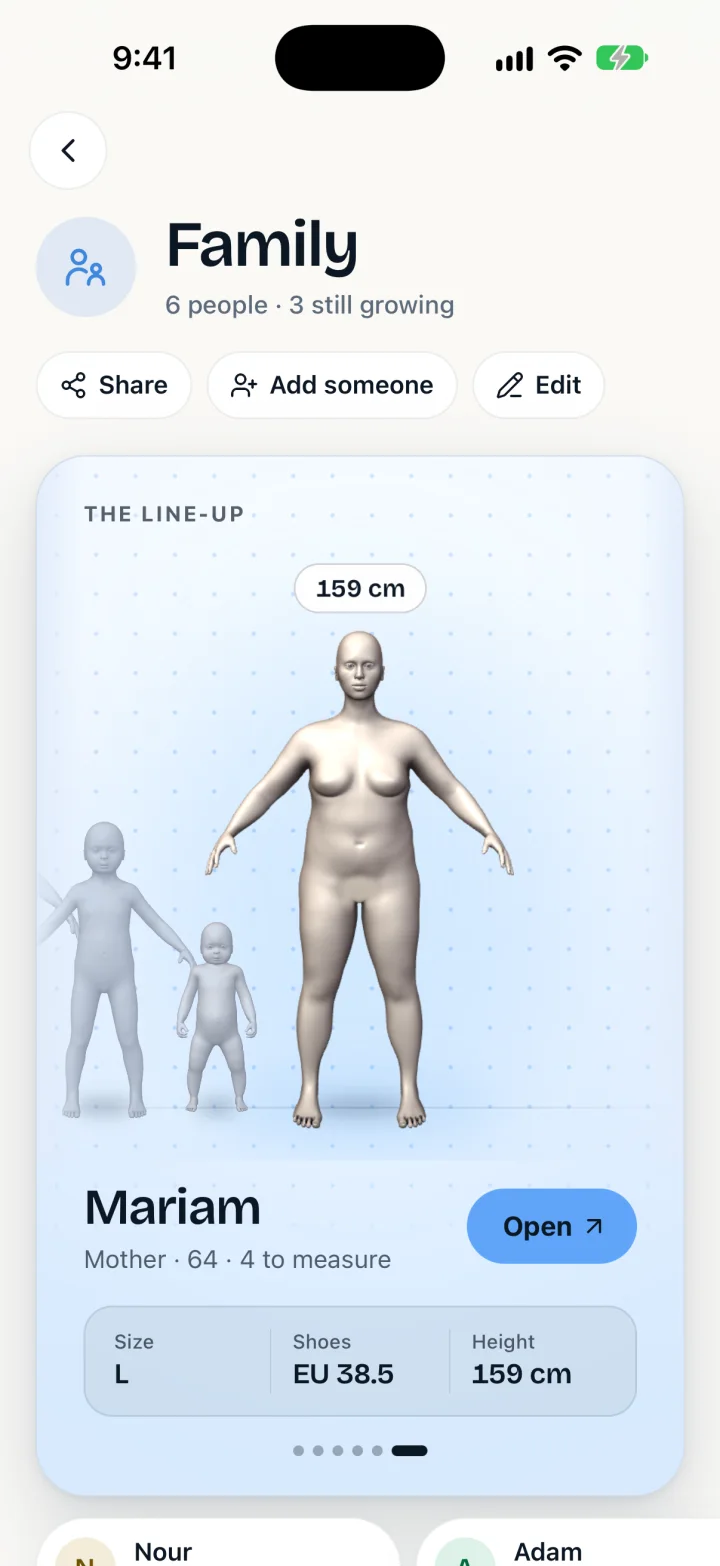
7/7 The line-up
Everyone at true relative height: who has grown, who is due a measurement, and every size in one table.
The wallet
In a shop, on the phone to a tailor, or when someone asks what to buy your father: the answer is already in your pocket.
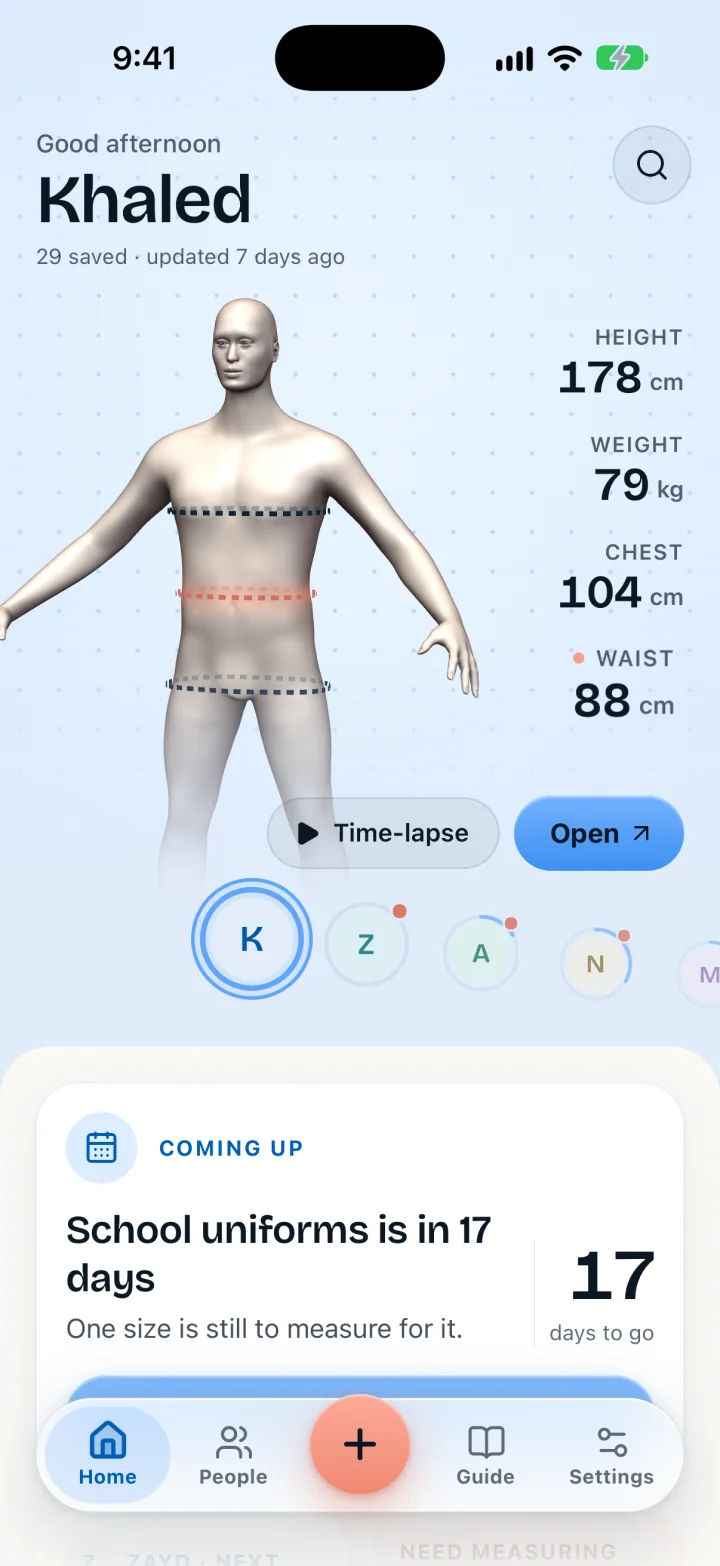
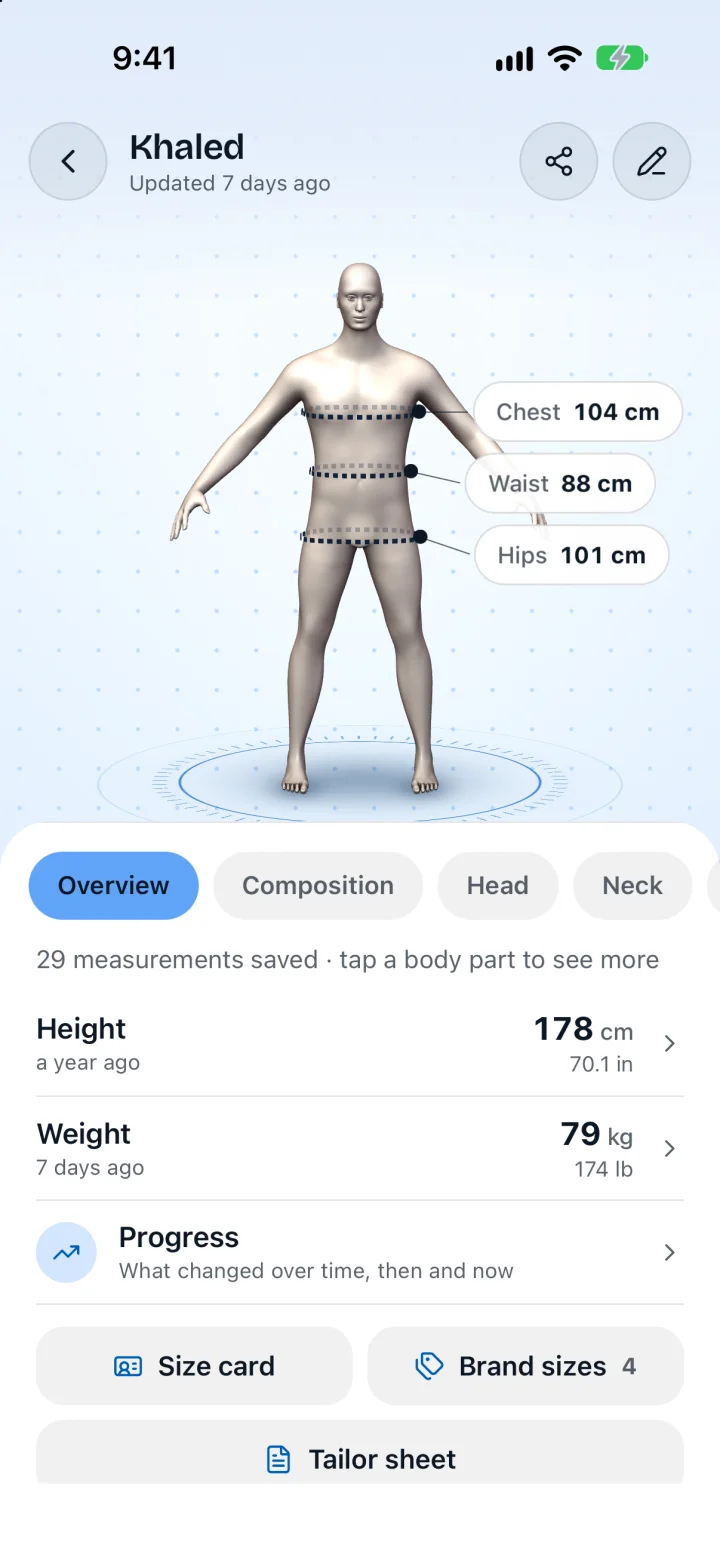
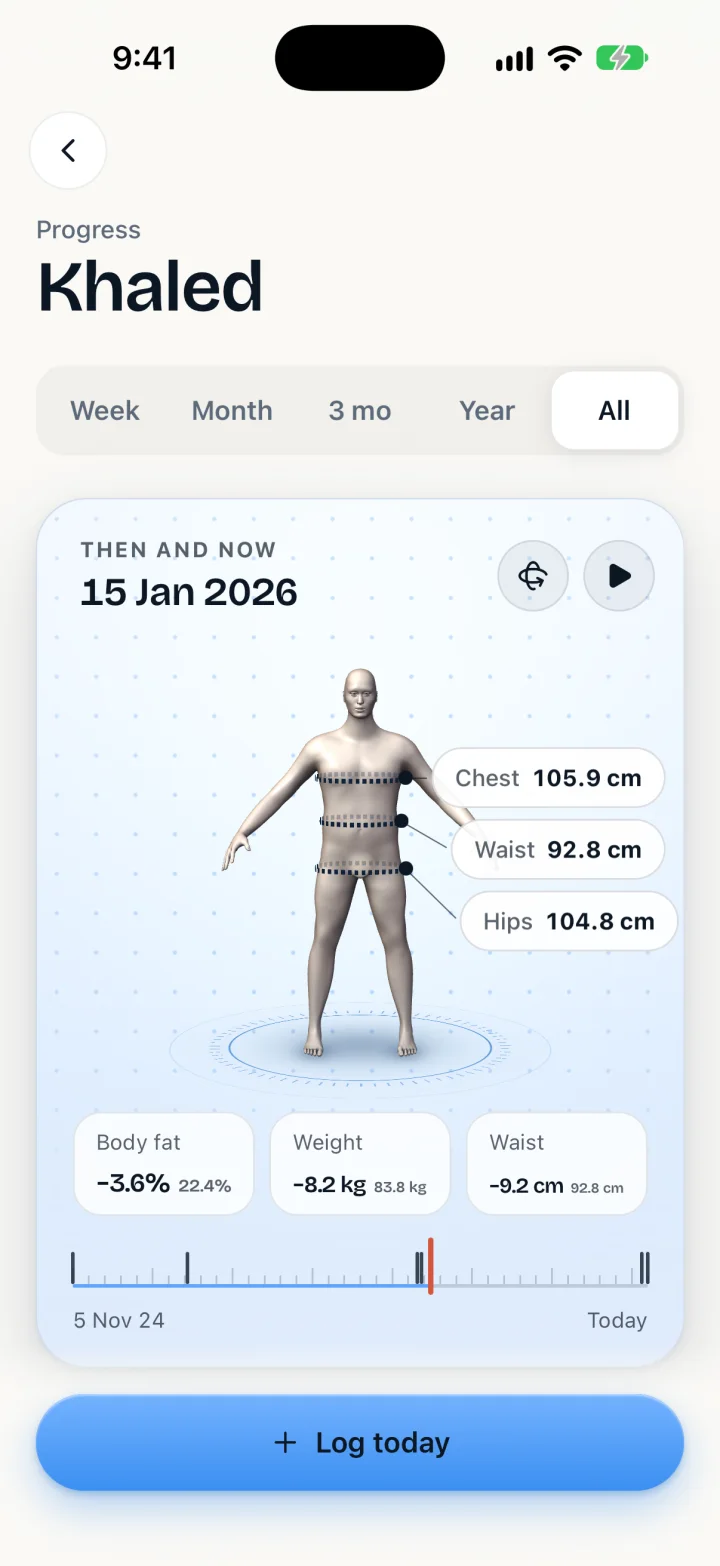
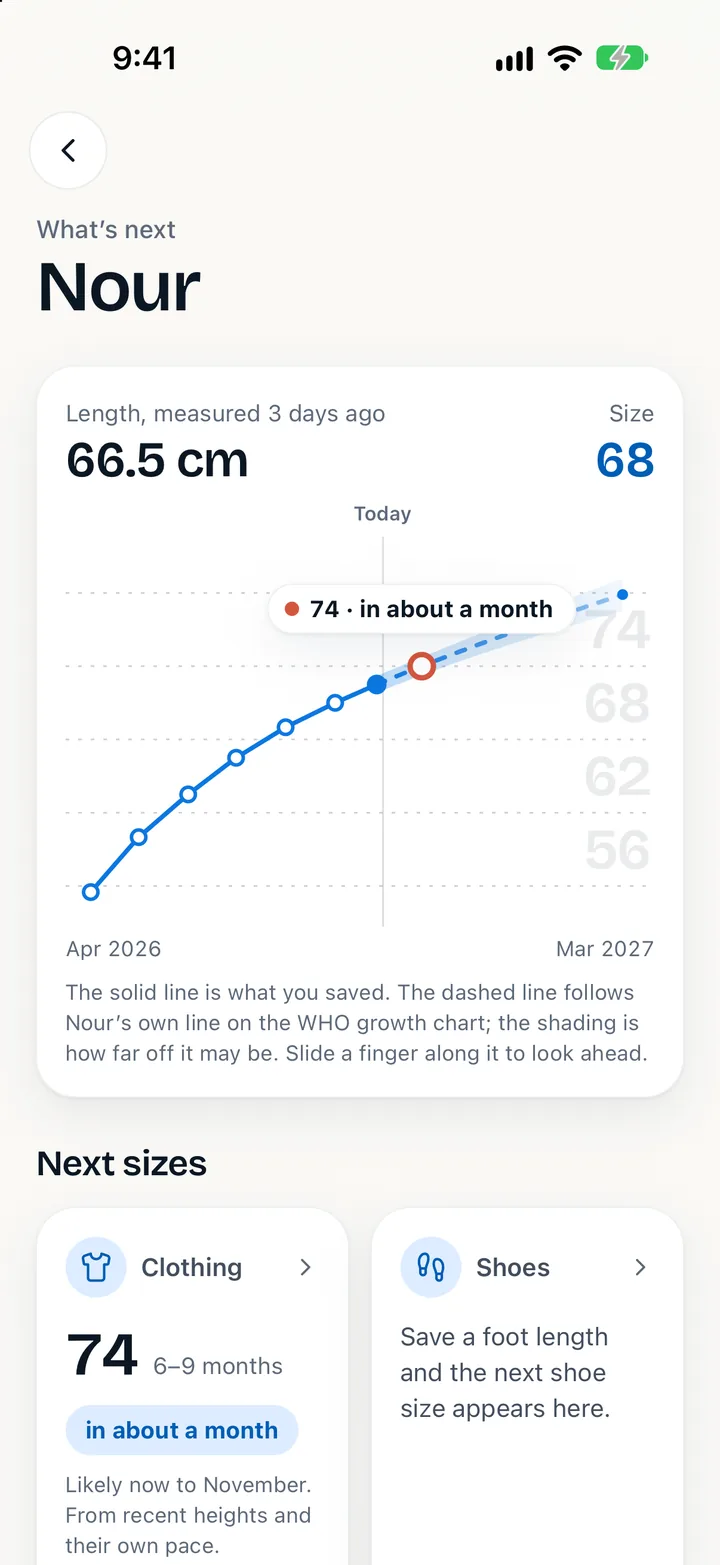
Home
The 3D stage becomes anyone in the family. Under it, what today asks for: a birthday mark to take, this month’s photo, a size that is nearly due.
Body studio
Turn it, tap a body part, pull a ruler and watch the figure change. Fifty-four measurements, each with a guide for taking it at home, and room for your own.
Progress
Drag back through time and the figure goes with you. Weight, body fat and waist, as numbers and as a shape you can see.
Growing
A child’s line follows their own curve on the World Health Organization charts, and says when the next clothing and shoe sizes are likely.
Groups
Family, friends, a football team. Everyone side by side, and a size table you can save as a picture or send as text.
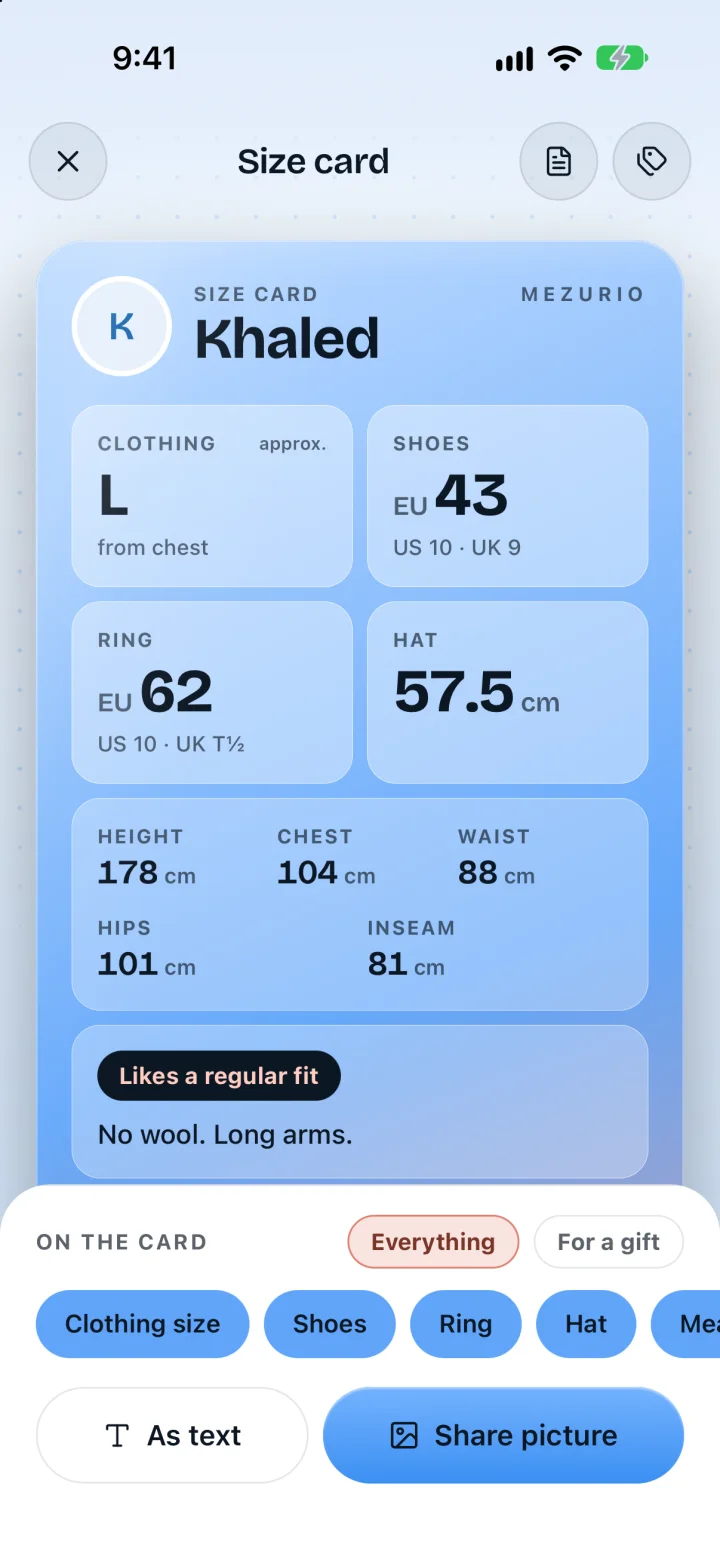
Size card
Clothing, shoes, ring and hat in EU, US and UK sizes, with a fit preference and the brands that fit. For the shop counter, or for whoever is buying the gift.
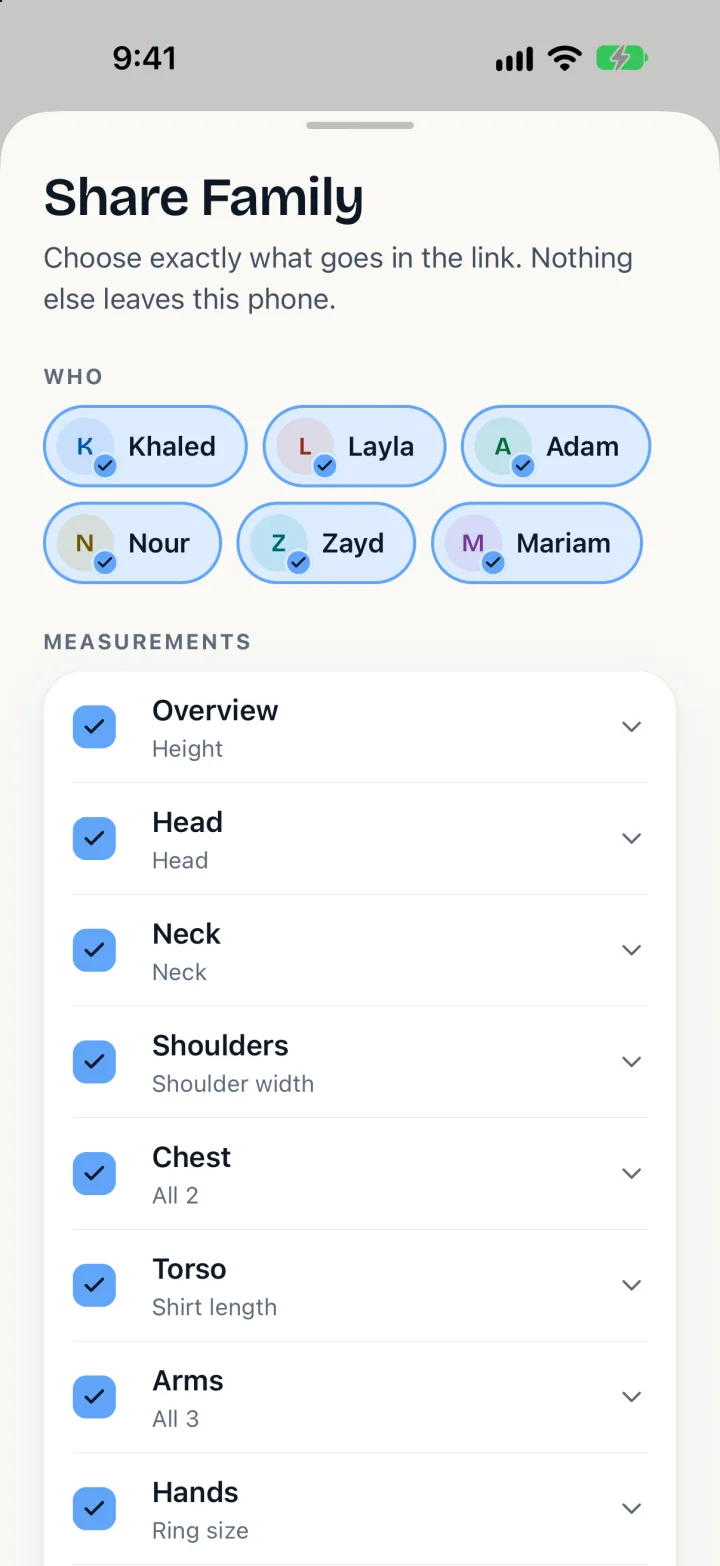
Sharing
Pick the people and the measurements, and send a link or a QR code that carries a copy. With an account, share a person with family as a live page instead, to view or to edit.
Size check
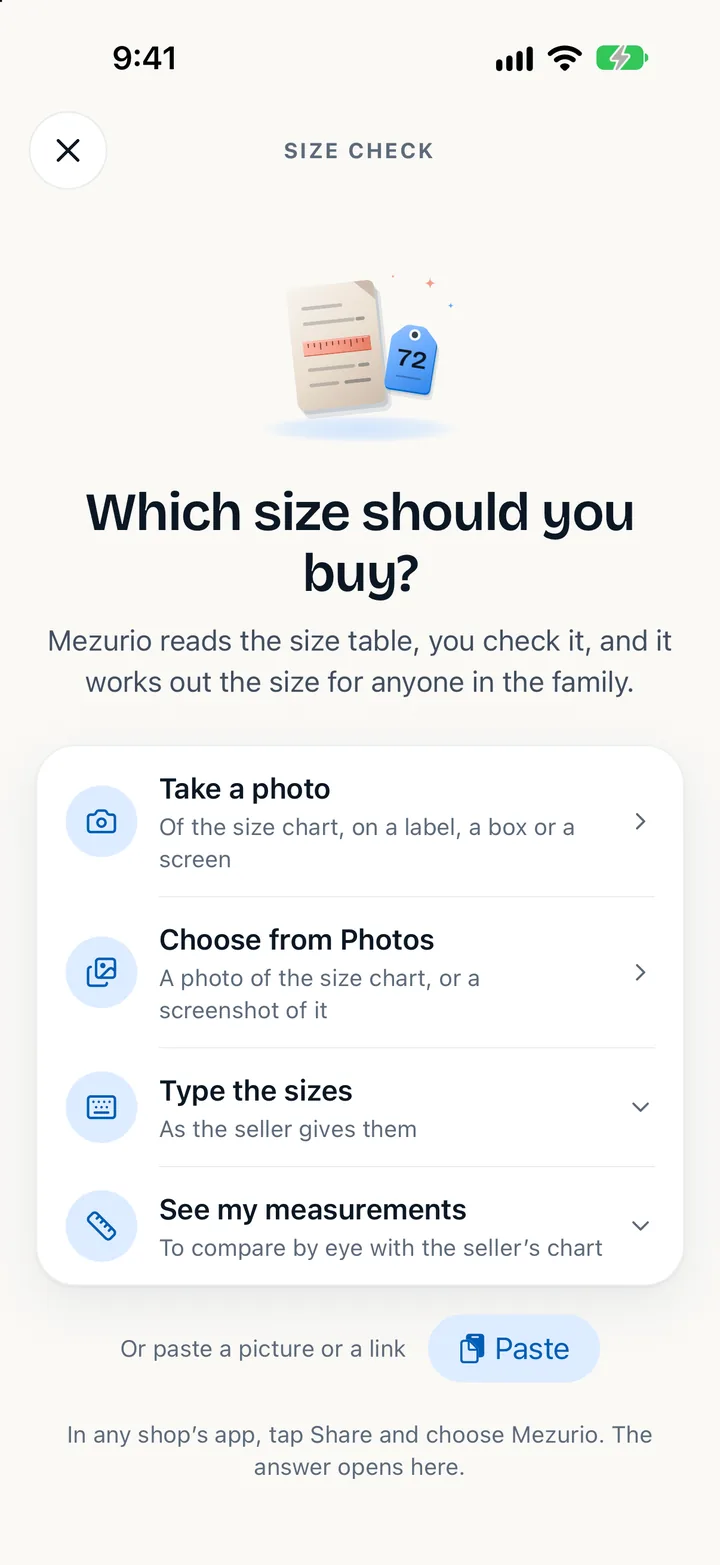
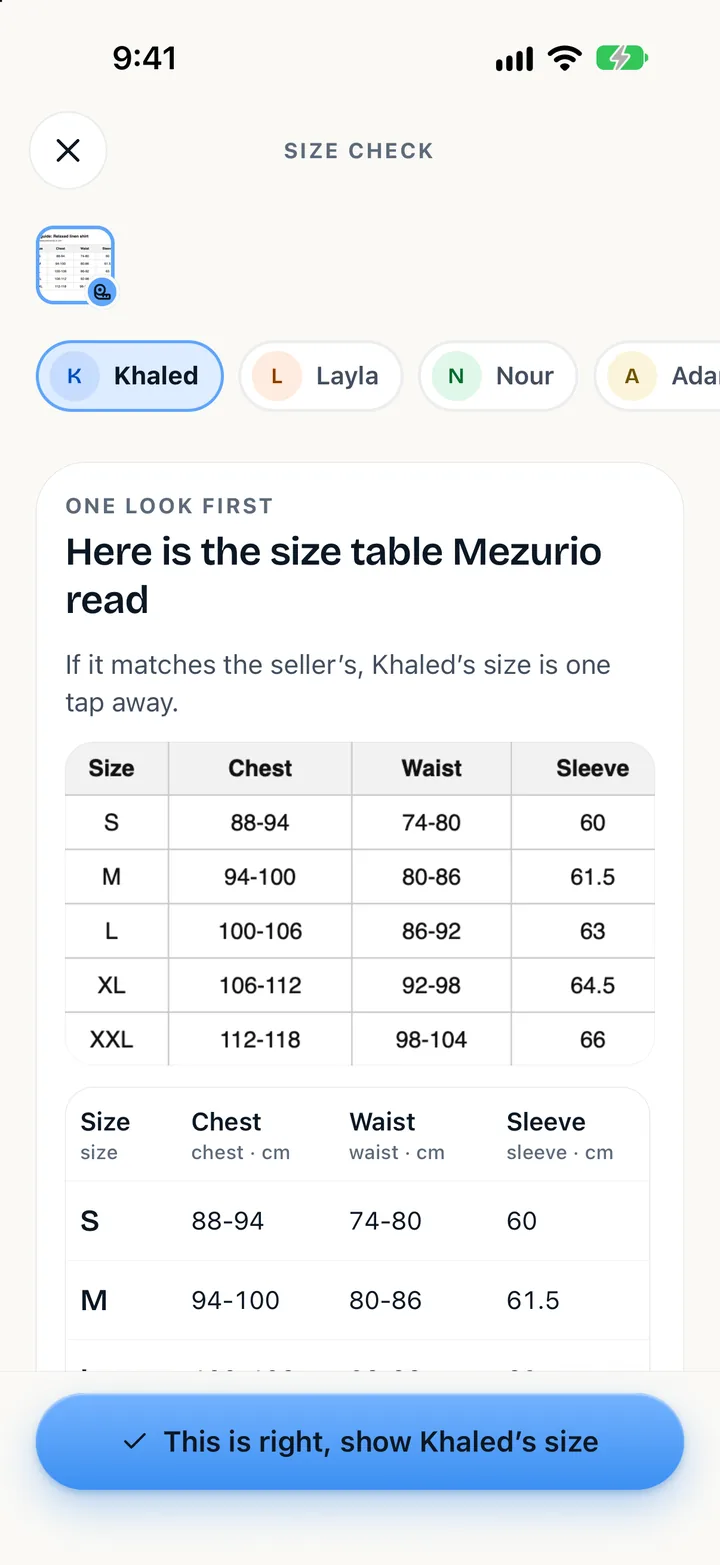
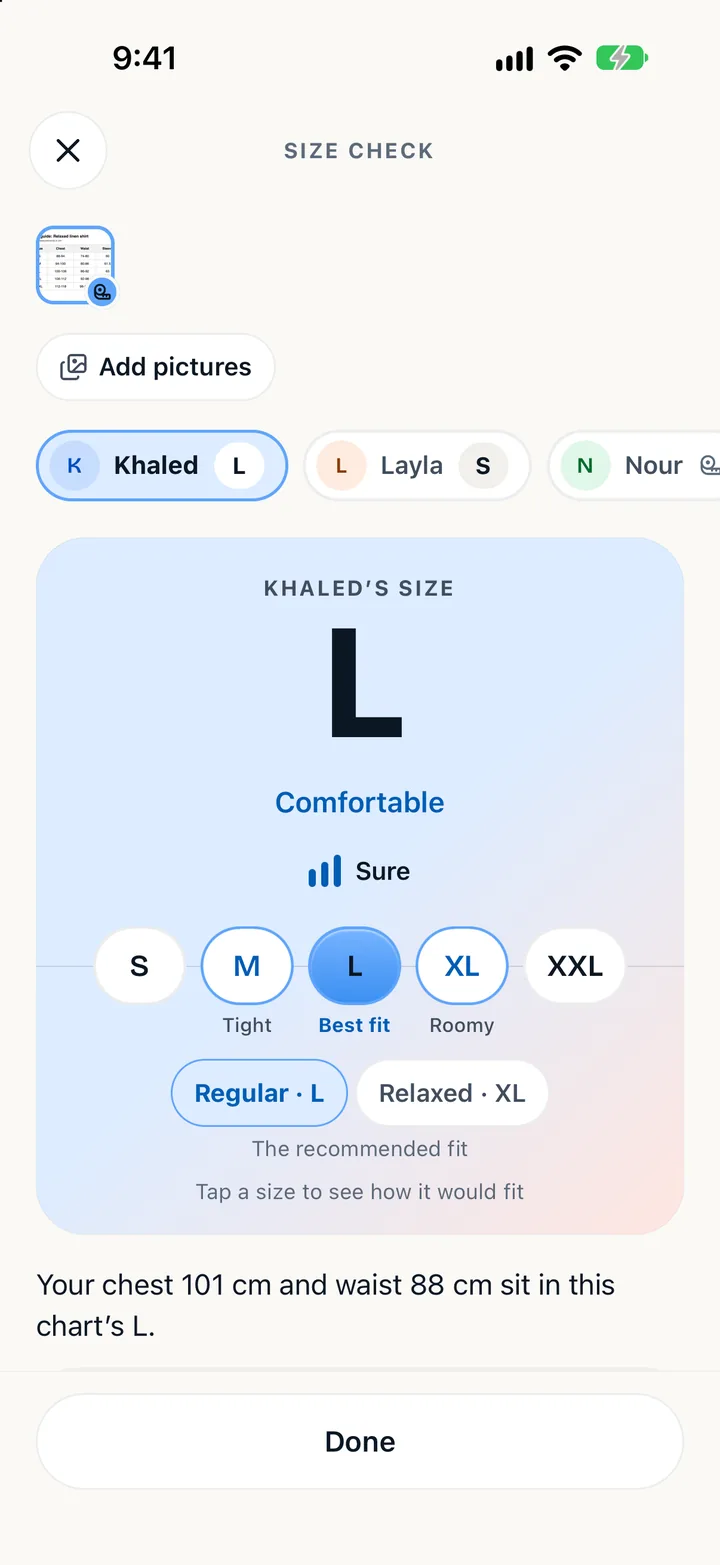
Buying online for someone else is guesswork. Mezurio reads the shop’s size chart and holds it against the measurements you already keep.
Share
In a shop’s app or on its website, tap Share and choose Mezurio. Or bring a photo or a screenshot of the size chart, or type the sizes in.
Check
Mezurio finds the size chart and reads it on your phone: centimetres or inches, EU, US or Asian sizes, in many languages. You see the table as it was read, and confirm it with one tap.
Buy
The answer comes in the product’s own sizes, with how it will feel and why. Tap another size to see how that one would fit. When a product gives no measurements, Mezurio says so plainly.
Moments
A notebook for every person, a photo each month, a mark on the tape every birthday. The things a family wants to remember, next to the sizes it needs.
Photo diary
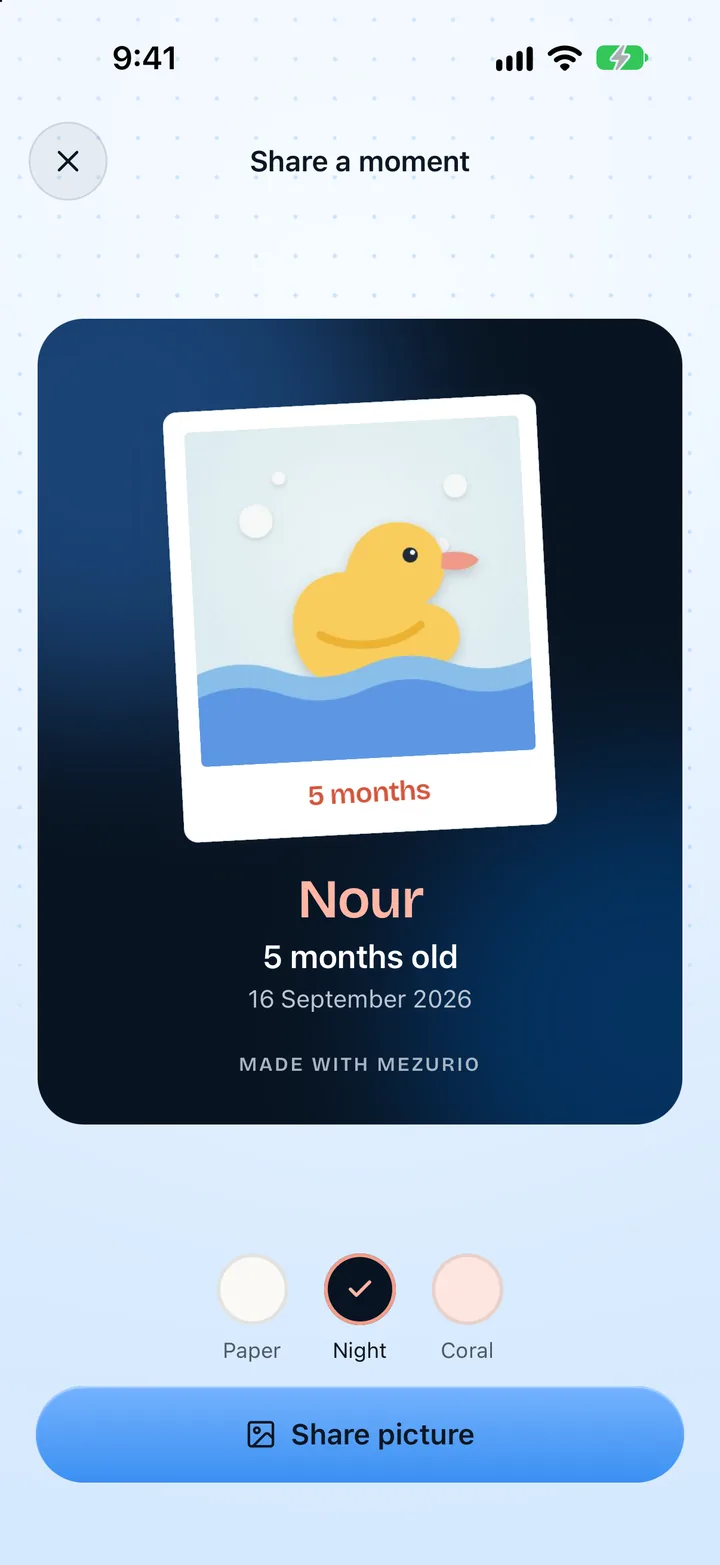
Home asks for this month’s picture while a child is small. Play them back and watch a year go by in seconds.
Notebook
Memories with photos, first steps and first words, each tooth as it comes and goes, vaccines and check-ups in your own words. Ready to show a doctor as a PDF.
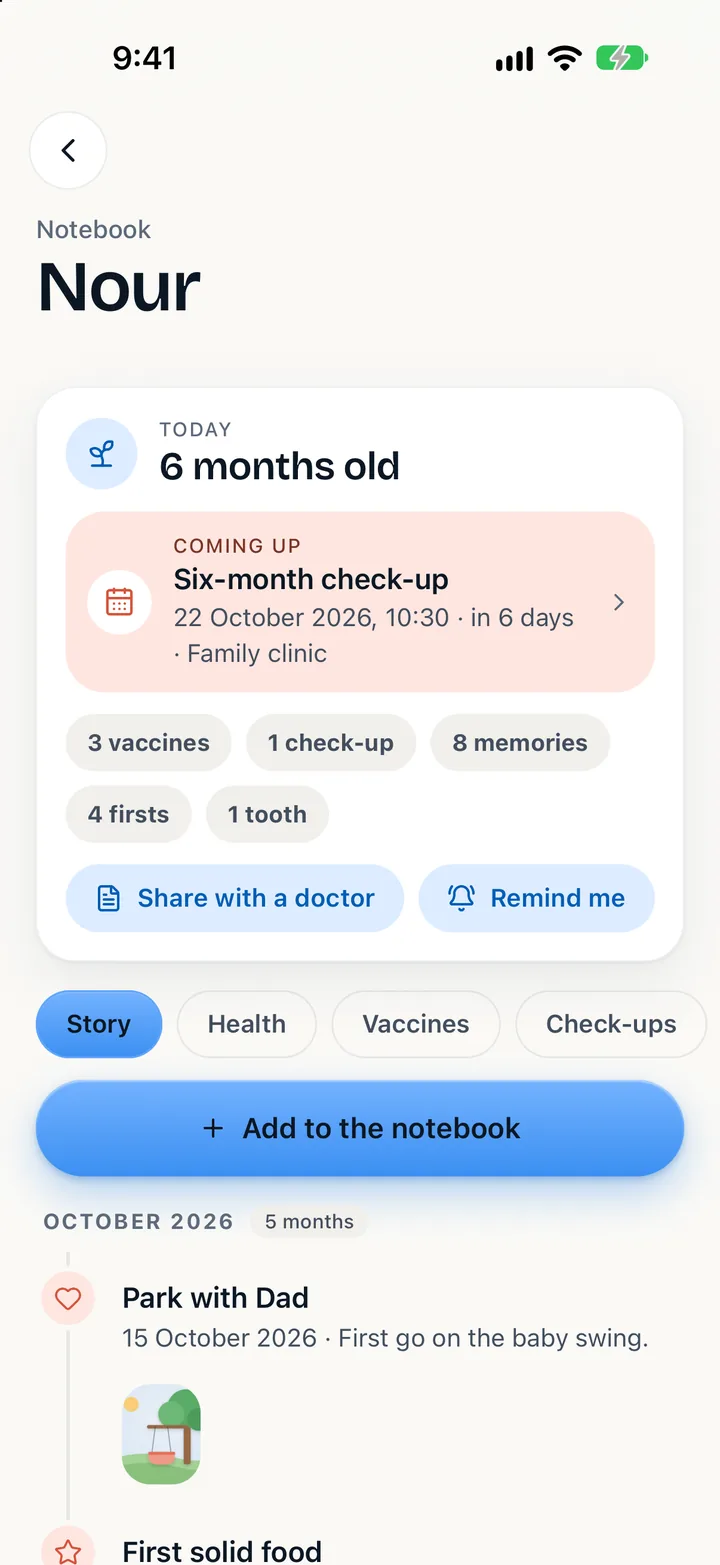
Like the pencil lines on a door frame, kept for each child, with how much they grew since the last one.
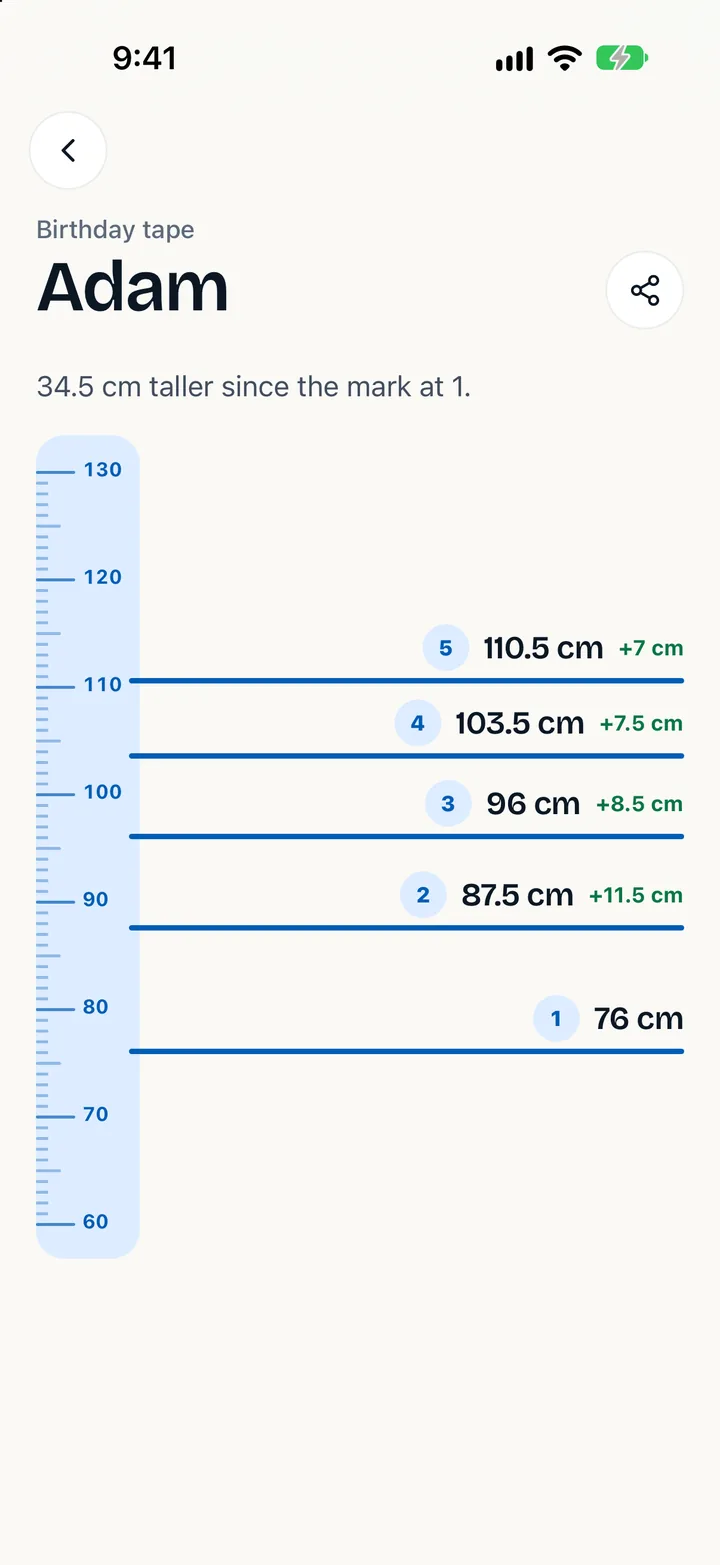
On a birthday, the year plays back: how much taller, the sizes outgrown, the firsts and the memories.
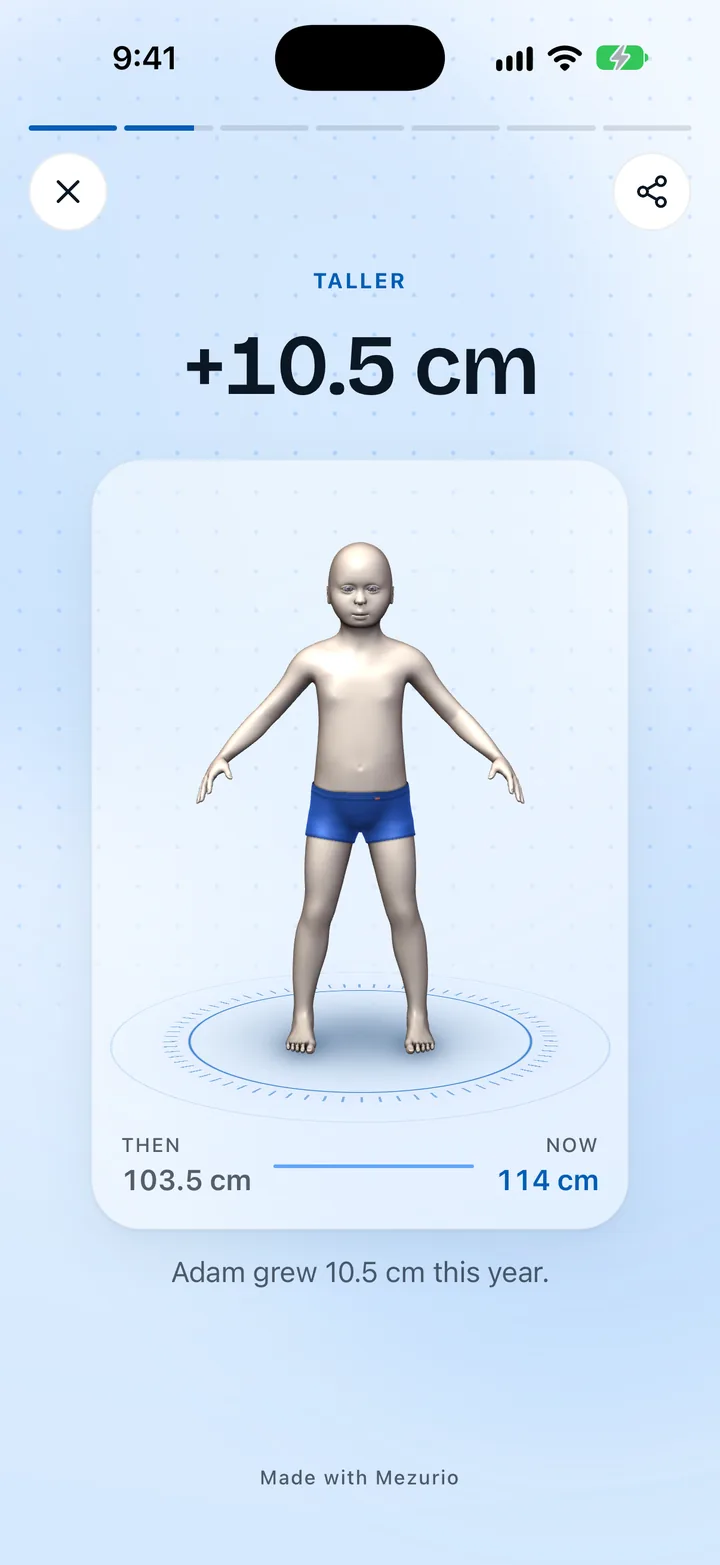
Turn a diary photo, a new tooth or a birthday mark into a card for the family chat, on paper, night or coral.
Shared, and sealed
Share a person with grandparents and choose whether their memories and photos go too. They are locked on your phone before they leave it, so the server keeps copies it cannot open. Vaccines and health notes never leave the phone at all.
Details
Body basics, a full tailoring set, feet, hands, and what a smart scale reports. Each one comes with a guide for measuring it at home.
Centimetres or inches, kilograms or pounds, EU, US or UK sizes. A value is saved once and shown whichever way you ask.
Waist88cm
Shoes43EU
Growth against the World Health Organization charts, children’s clothing and shoe sizes, an estimate of when the next size is due, and hand-me-downs between siblings.
A wedding, school uniforms, a kit order. Who needs which measurements, and how much of it is ready.
One person’s measurements with the figure, front and side, as a PDF. A4 or Letter, by region.
A widget with someone’s sizes, for the moment you are at the till. Another counts down to the family’s next birthdays and a baby’s month-birthdays. Never a weight or a body measurement.
Already weigh yourself on a smart scale? Bring height, weight and body fat in from Apple Health or Health Connect, when you ask.
Pick a photo of a body-composition result and the numbers are read off it, on the phone. The picture is not kept.
Privacy
These are bodies, children’s among them. So the app was built to work with nothing but your phone, and to send out only what you choose to send.
Everything works on your phone, with no sign-up and no network. Keep a backup file in Files or iCloud Drive instead.
A share is a copy of exactly what you picked. Weight and body composition stay out of it unless you switch them on.
Memories and photos shared with family are locked on your phone before they leave it. The server holds copies it cannot open.
Vaccines, check-ups and health notes in a notebook never leave the phone, account or not.
Put the app behind Face ID, and keep weight off the screen.
There is no advertising and no analytics inside the app. This site sets no cookies and loads nothing from anyone else.
With Apple, Google or an email, for backup and sync between your phones and sharing with family. Delete it and everything in it goes too.
Export everything as a file. Delete everything in one place.
What you keep in Mezurio is never used to train AI models, and never sold.
Mezurio is on its way to the App Store and Google Play. It works from the first minute, with no account.
Need a hand, or have a question? Write to support@mezurioapp.com and a person will answer.